
Quick Start
Get up and running with GoPaste in under a minute.
Step 1: Launch GoPaste
After installation, launch GoPaste. The application will:
- Start silently in the background
- Appear as an icon in your system tray
- Begin monitoring your clipboard automatically
Step 2: Copy Something
Just copy any content as you normally would — text, images, links, code snippets. GoPaste records everything automatically. No extra steps needed.
Step 3: Open the Panel
Press Alt + ` to open the GoPaste panel instantly, from any application.
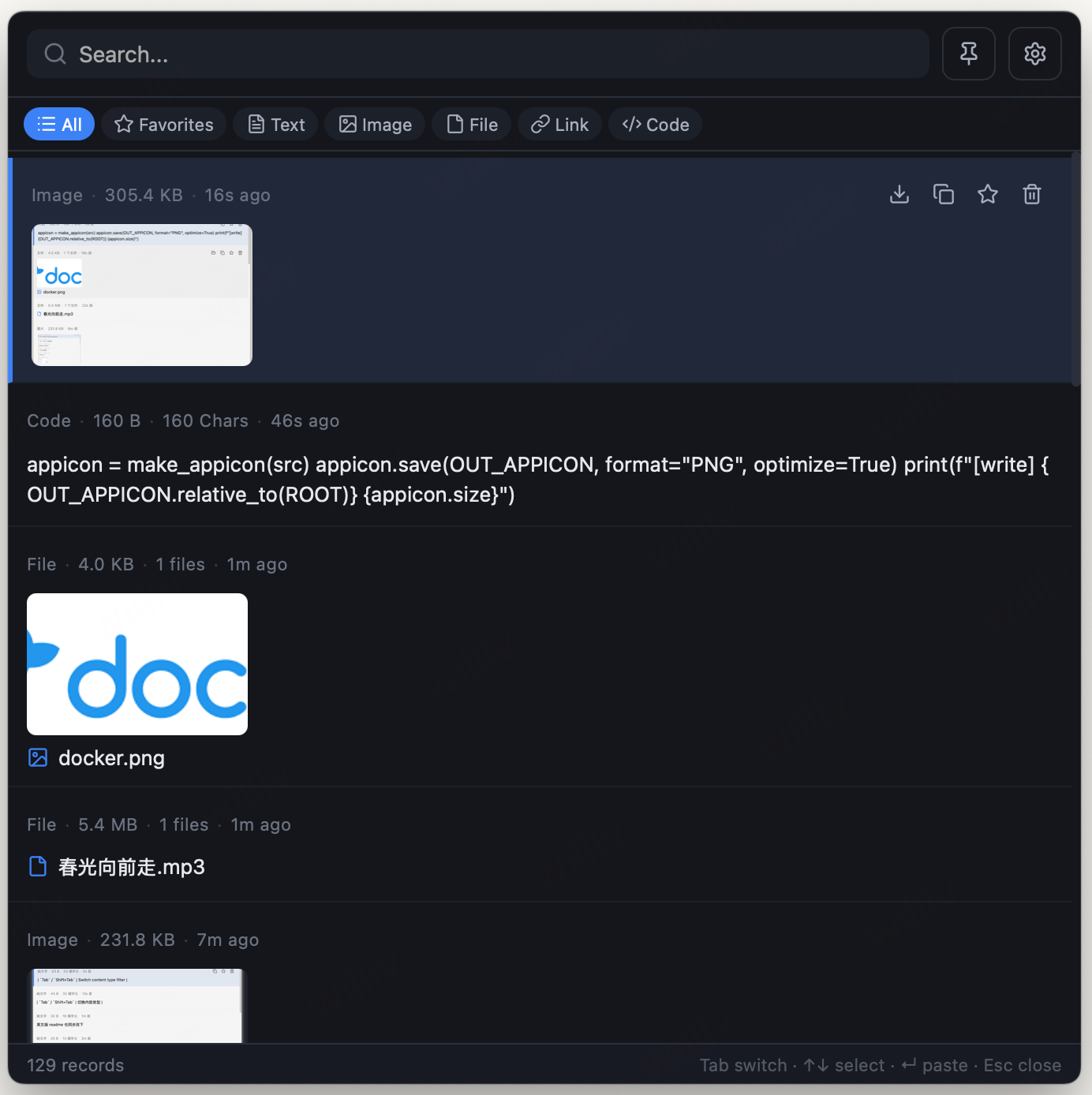
Step 4: Paste Your History
- Browse: Scroll through your clipboard history
- Search: Start typing to filter items in real-time
- Select: Use ↑ / ↓ arrows to navigate
- Paste: Press Enter to paste the selected item into your current app
The panel will close automatically after pasting.
Keyboard Shortcuts
| Key | Action |
|---|---|
Alt + ` | Open/close the panel |
Tab / Shift+Tab | Switch content type filter |
↑ / ↓ | Navigate items |
Enter | Paste selected item |
Esc | Close the panel |
Delete | Delete selected item |
What's Next?
- Learn about Search & Filter to find content faster
- Set up Favorites to keep important items
- Customize your Hotkeys
- Understand Security & Encryption